
Your Pregnancy Journey.
One Trusted Companion.
MaaSphere is an AI-powered maternal and early-childhood wellbeing platform — pregnancy timeline, 3D baby viewer, kick counter, medicine tracker, and Dhruv AI, all in one calm, trusted space.
A real MaaSphere 3D model — drag to rotate, pick a week below.
Built around trust, not just tracking
Pregnancy apps are easy to make noisy. MaaSphere is built to feel like one calm, dependable companion — for the parent, the partner, and the doctor.
Calm by design
Warm, editorial screens instead of a clinical dashboard — reassuring, not alarming, at every step.
Connected care
Mother, partner, and doctor each get a role-appropriate view of the same journey, with your permission.
Honest about limits
Every AI answer and every tool is clear about what it can and can't do — never a substitute for your doctor.
Privacy by default
Your data is never sold. AI processing runs through MaaSphere's own backend, never straight from your device.
Everything you need to track the journey
Four core tools mothers use every day — each color-coded, just like in the app.
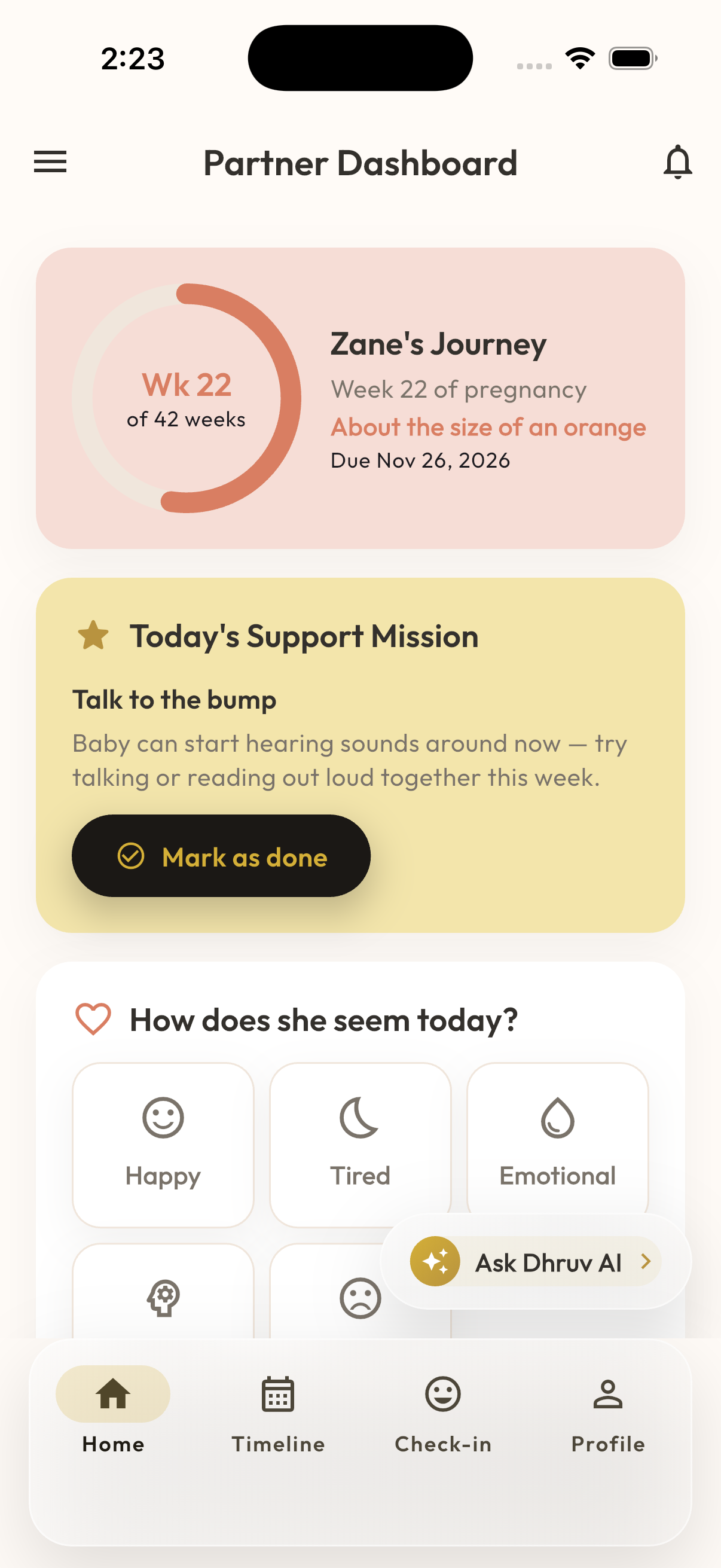
A calm, knowledgeable companion — not a replacement for your doctor.
- Answers everyday questions about pregnancy, postpartum recovery, nutrition, and baby development.
- Reads the context you've already logged in MaaSphere — your current week, symptoms, medicines — so answers are personal, not generic.
- Built-in safety checks scan both what you type and your recent logged data, and can route you straight to emergency guidance when something looks urgent.
- Every response carries a clear reminder that it's informational, not a diagnosis — Dhruv AI never tells you that you or your baby have a specific medical condition.
- Powered by Anthropic's Claude, called through MaaSphere's own backend — your messages are never sent to a model directly from your device.
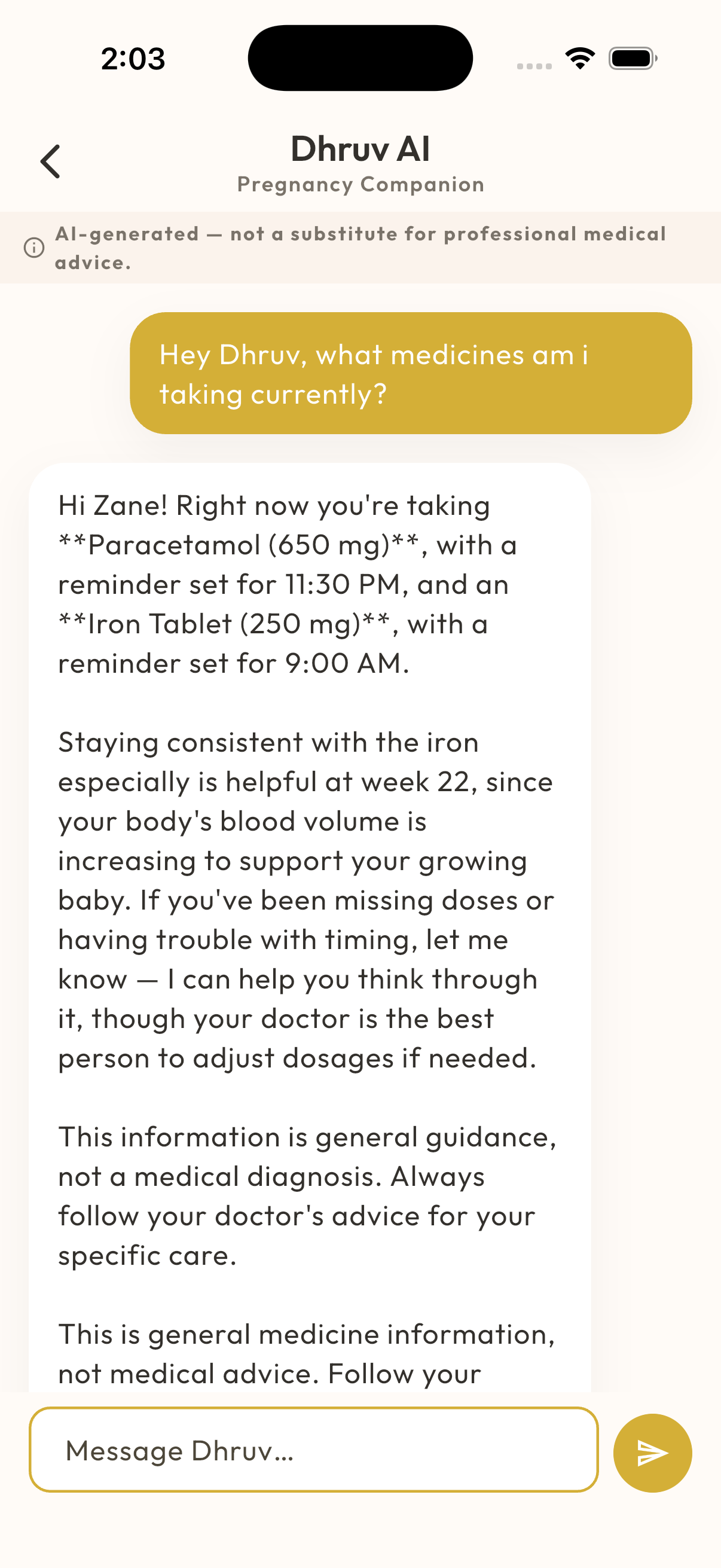
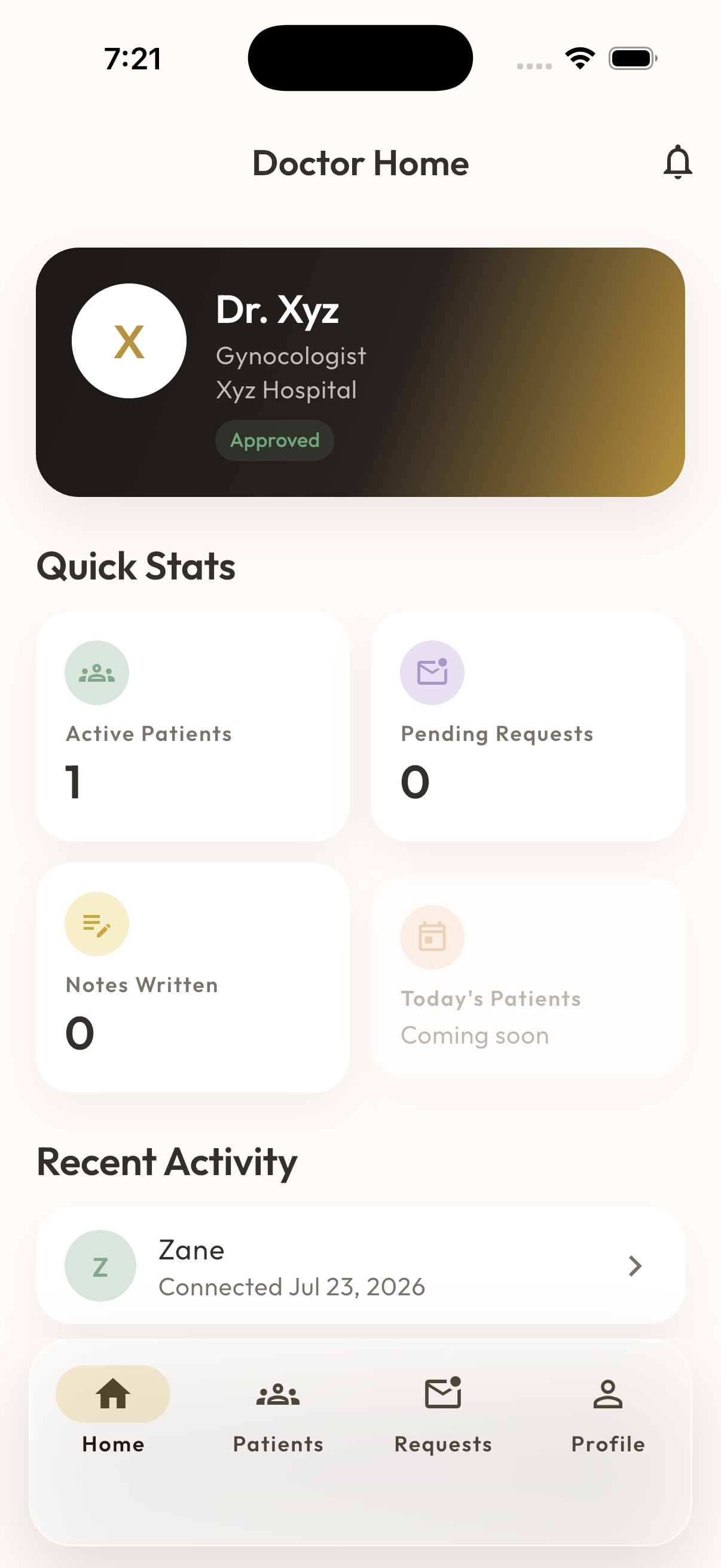
A read-only, EMR-style view built for busy clinicians.
- A home screen built for a clinical workflow: verification status, active patients, pending requests, and recent activity at a glance.
- My Patients gives a searchable list; opening a patient shows a read-only, chart-style view — timeline, medicines, weight, symptoms, kick counter history, and your own past instructions and notes.
- Doctors can write clinical notes and issue instructions that surface directly inside the patient's Medicine Tracker.
- Today, an accepted patient connection shares the full record — granular, patient-controlled sharing of individual categories is on our roadmap, not yet available.
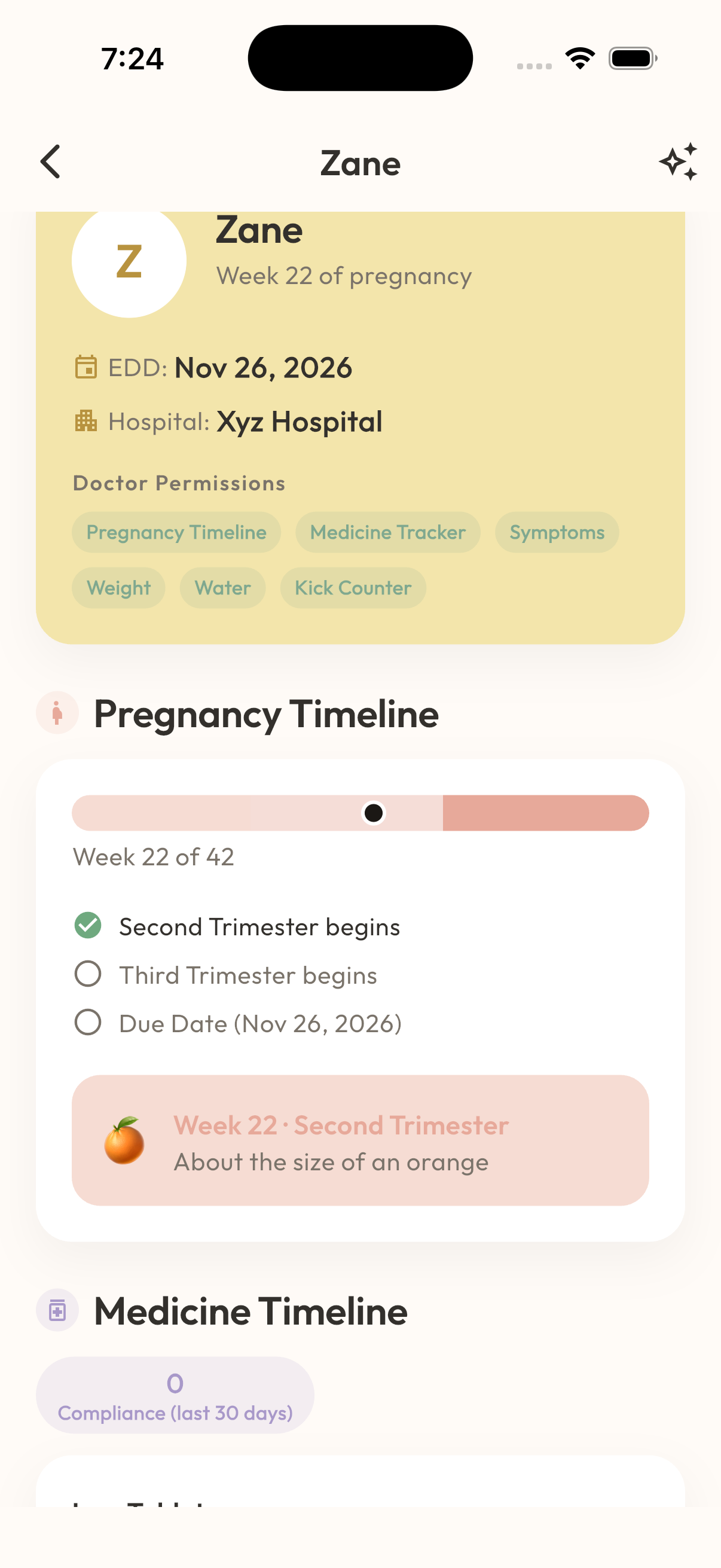
Built for support, not just spectating.
- Once connected, partners see pregnancy progress, today's medicines and appointments, and doctor instructions — all read-only.
- A daily 'support mission' suggests one small, concrete way to help, and a personal check-in log tracks the partner's own mood alongside the journey.
- Weekly stats (missions completed, days checked in, streaks) turn showing up into something visible.
- Dhruv AI is available to partners too, scoped to their linked mother's data.
Common questions
Is Dhruv AI a substitute for my doctor?
No. Dhruv AI is an informational companion built on Anthropic's Claude models. It never diagnoses a condition and always defers to your physician, midwife, or other qualified healthcare provider for medical decisions. See our AI Disclaimer for the full detail.
What happens if MaaSphere detects a possible emergency?
Dhruv AI runs built-in safety checks against what you type and your recently logged data. If something looks urgent, it routes you to dedicated emergency guidance — but you should always contact local emergency services immediately rather than waiting on the app.
Can my doctor see everything I log in MaaSphere?
Only if you accept a connection request from them. Today, an accepted doctor connection shares your full pregnancy record so they have real clinical context; granular, category-by-category sharing controls are planned but not live yet.
How do I delete my account?
Open Profile in the app, scroll to Legal & Support, and tap Delete Account — this is immediate and permanent. You can also email support@maasphere.in to request deletion. Full details are on our Delete Account page.
What information does the 3D Baby Viewer show?
Nine real 3D models mark key stages of development from week 8 to week 40 — not a continuously updating model, but enough to see how your baby is growing at each stage.
Be the first to know when MaaSphere is ready for you
Questions, feedback, or want early access? We'd love to hear from you.